Here is how your setup should look like when complete (the optical flter may have differently shaped ring):
[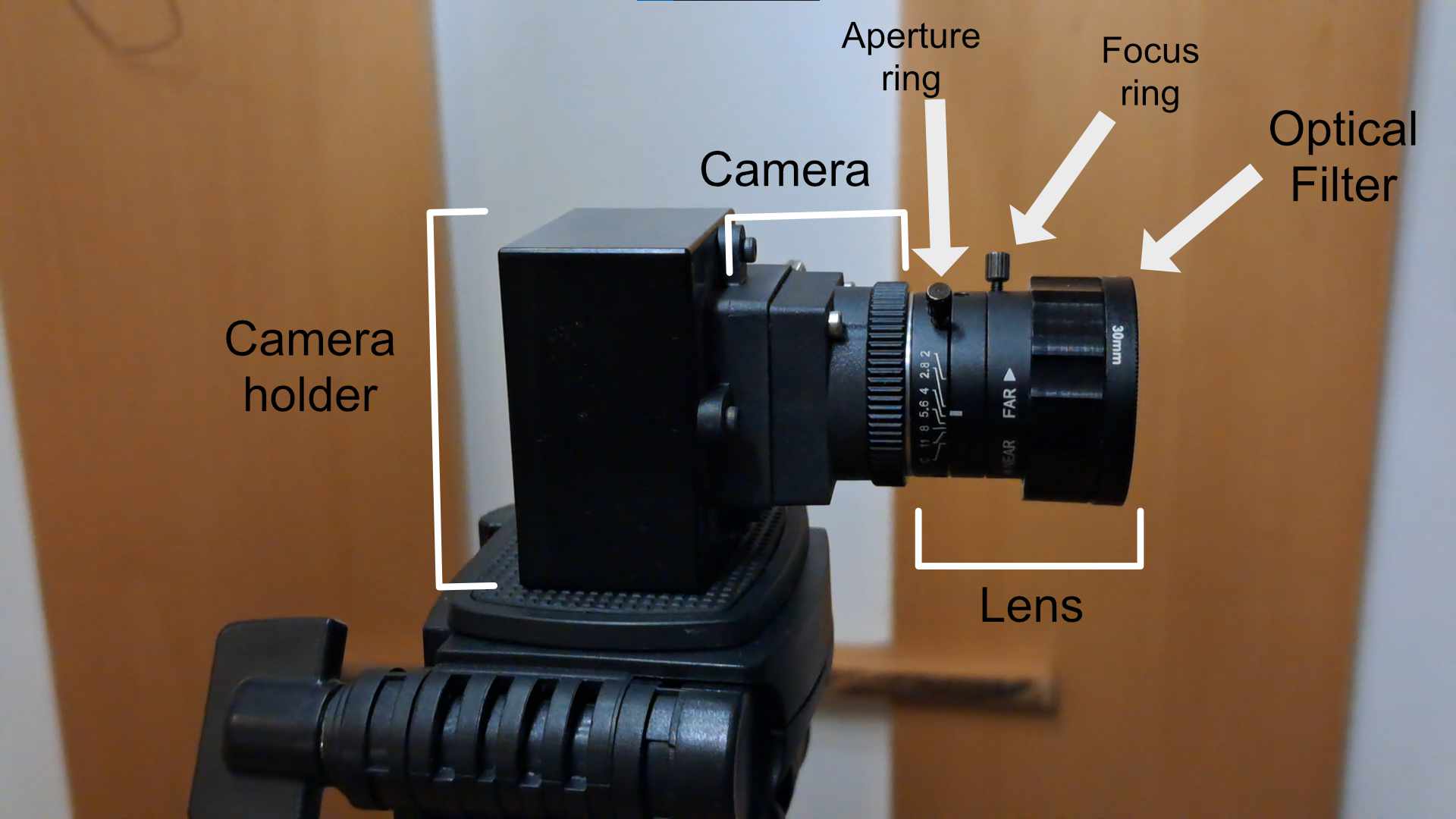](https://docs.helioninteractive.com/uploads/images/gallery/2026-01/cameradescription.jpg)For initial setup, remove the optical filter. It will be easier to allign the camera correctly without it.
Adjust the camera position so it points towards your projection area. The camera has two ajustment rings - **Focus ring** - Manually adjusts the lens elements to change the plane of focus. Turning the ring moves internal lens glass to bring a subject into sharp focus. **Aperture ring** - The aperture ring is a collar on the lens that can be rotated to increase or decrease the opening of the aperture petals. These opening settings are marked on the aperture ring as "f-stop" values. The smaller the f-stop value, the larger the opening and the more light reaching the camera's detector. We recommend not to change the setting of your aperture ring configuration unless troubleshooting.| Go to [**Next page**](https://docs.helioninteractive.com/books/camera-setup/page/connecting-camera-to-latras-hub "Connecting to LATRAS Hub") |