
Manual Module Installation
Manual installation is one of the methods for installing modules to the LATRAS Hub. This method does not require an internet connection; however, the installation files are required.
Manual module installation is not recommended as the default installation method. It should only be used for troubleshooting purposes or for installing experimental versions of our simulators.
Prerequisites
- Downloaded module installation package (ZIP file)
Installation
- Extract the module files to the directory where you want the application to be installed.
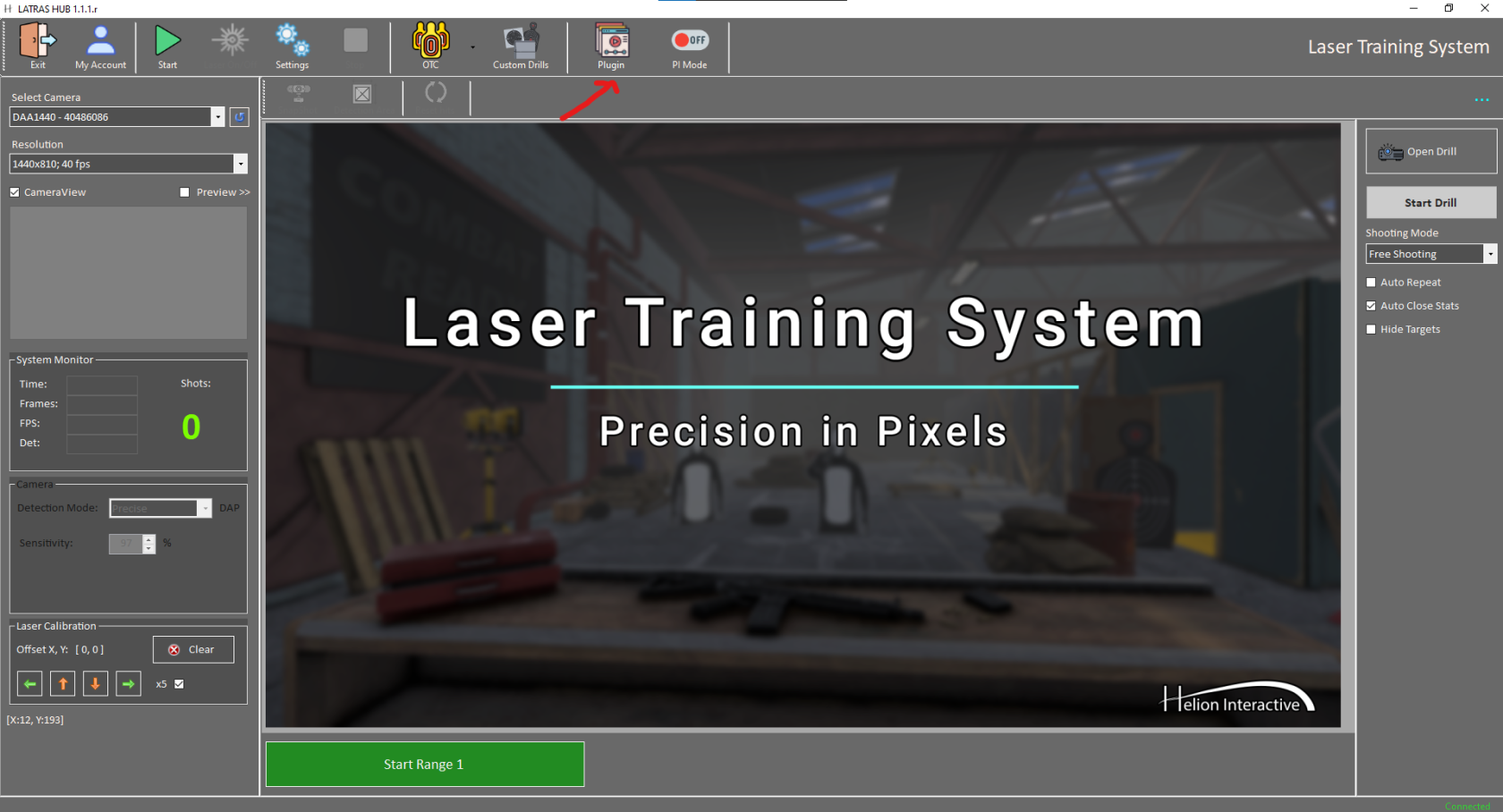
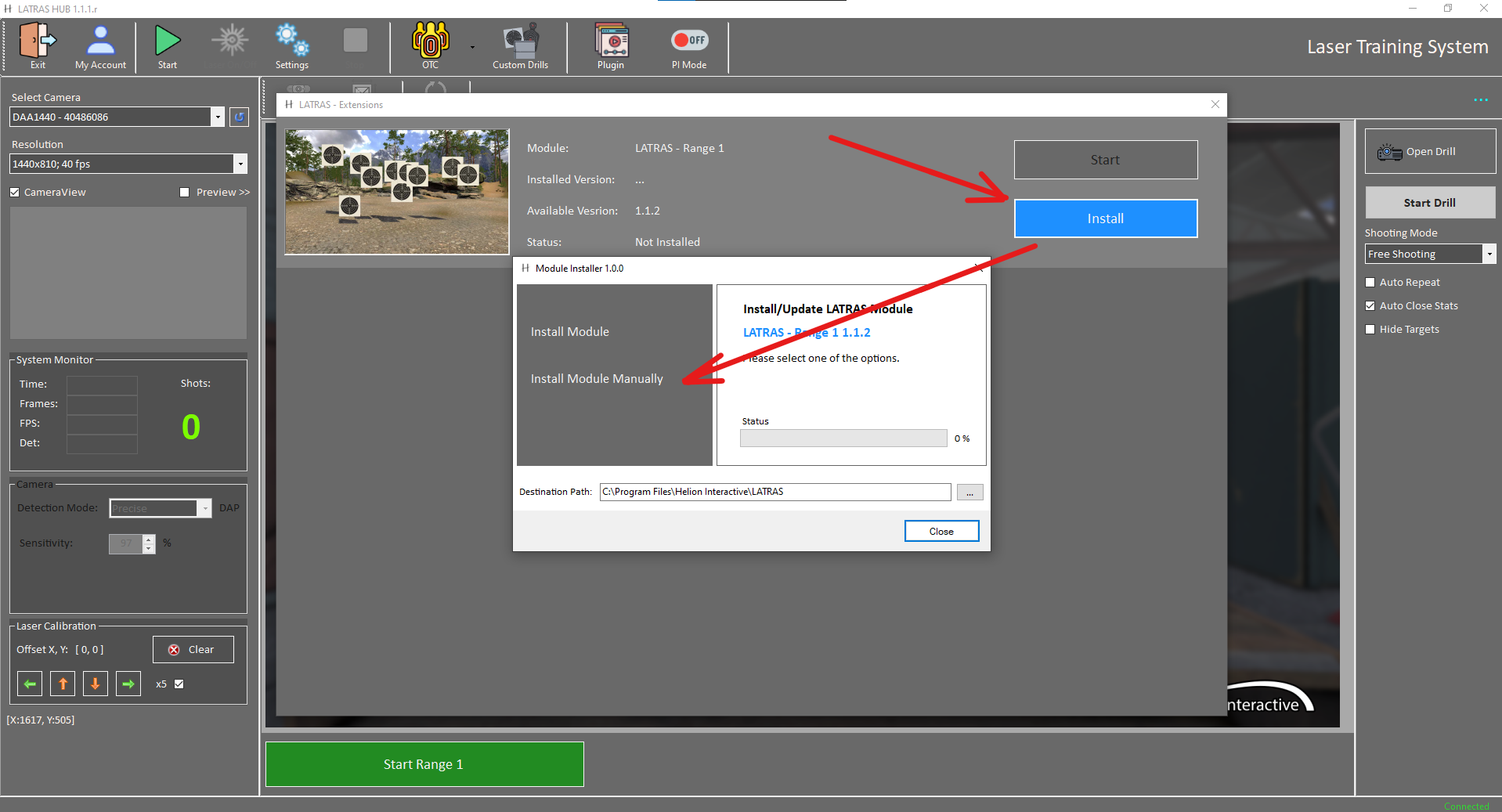
- Open LATRAS Hub and click the Plugins button.
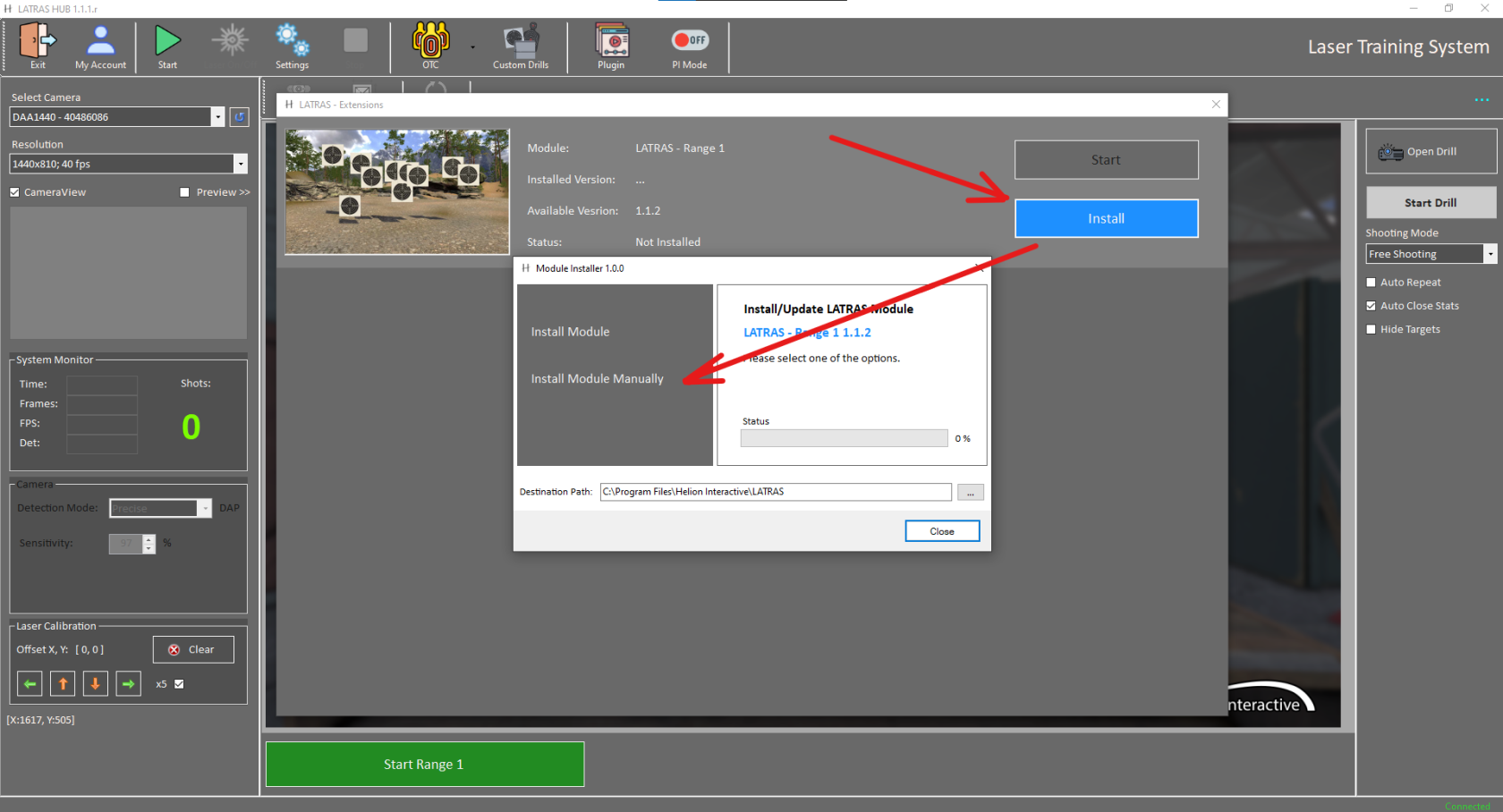
- Select Install on the module you want to install. This will open a context window. In the context window, select Install module manually.
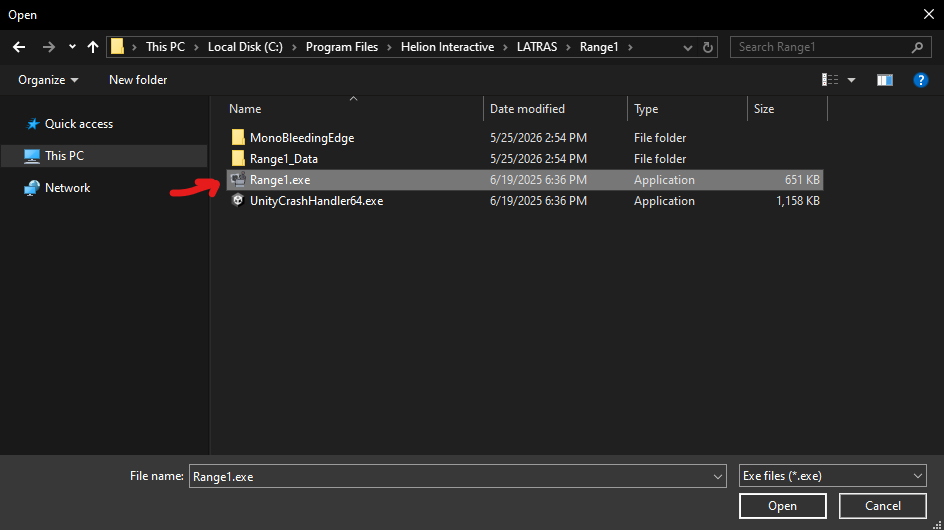
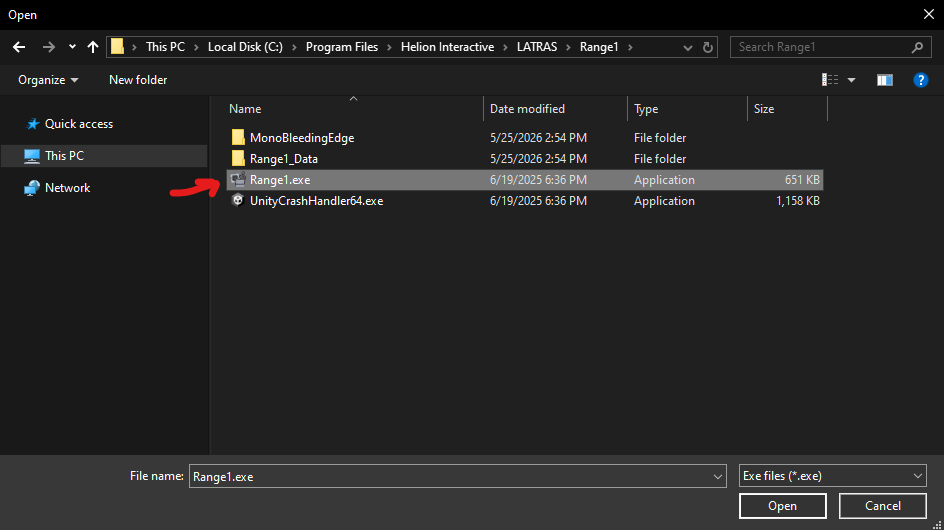
- Locate the directory where you extracted the files and select the executable file (for example,
Range1.exe).
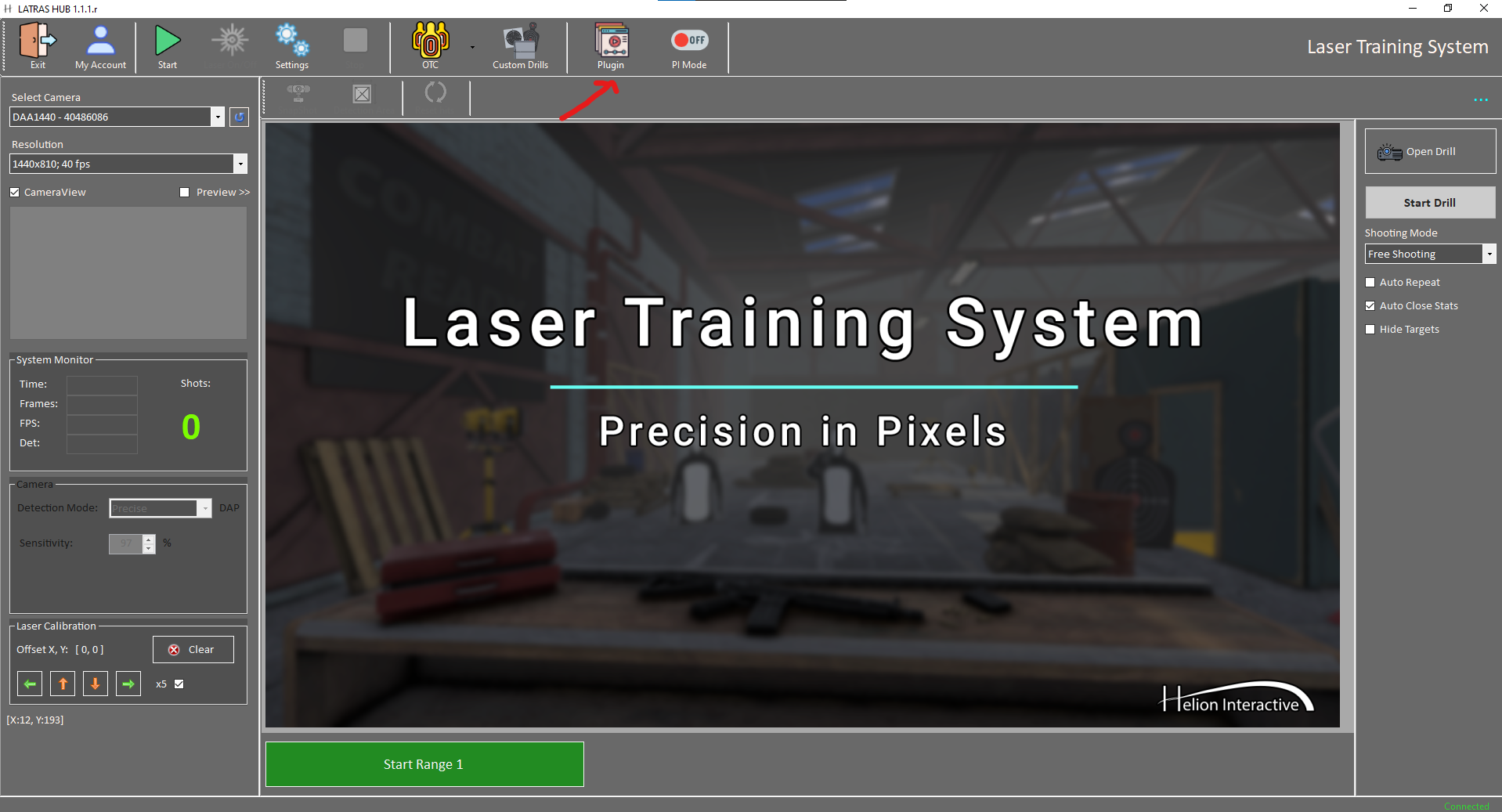
- After completing these steps, the module should be installed and ready to use.
No comments to display
No comments to display