LATRAS Hub
General
The upper toolbar controls the general settings and main functions of the LATRAS Hub

My Account - general information about product owner, registration, licence keys, and activated products.
Settings - general settings of the system, audio, shooting modes, and advanced settings of laser detection.
Update - use for automatic update of the LATRAS Hub (when an udate is available)
Start - starts a camera
OTC - Object-To-Target mode, leads through definition of target areas and their properties.
Custom Drills - define any Custom Drill or Precision Shooting range with the help of this mode.
Plugin - information about existing Plug-ins, activation of new Plug-ins.
PI Mode ON/OFF - indicates if any Plug-ins run. When eg. Range1 is on, PI Mode resets to ON.
Exit - exits the LATRAS Hub
Left sided toolbar controls camera and laser functions.
| Go to Next page |
Settings
 |
Select the Settings button from the main menu in upper toolbar. |
Start with the General Settings
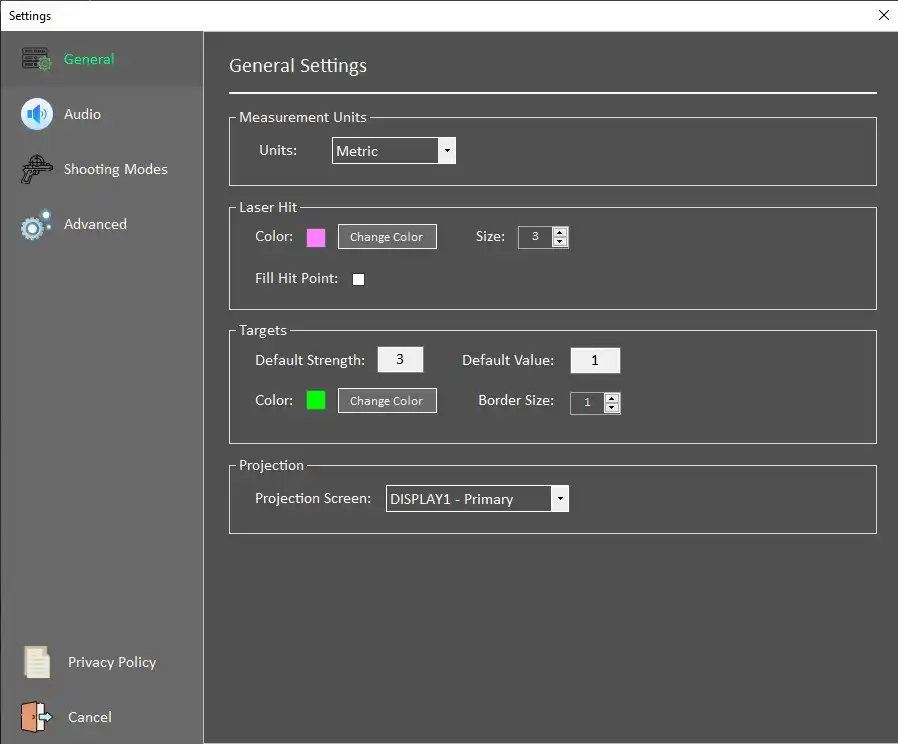
Measurement Units
Metric (m) / Imperial (f, in, yd)
Laser Hit
Color, Size- select color of the laser hit and its size
Fill Hit Point - if checked,
Target
Default Strength, Value - properties that appear as default target values. Both can be changed within the drill definition dialogue.
Color - selects a color used for drawing target areas in the Custom Targets mode
Border Size - width of the target's area border
Projection - chooses which is used (in cas of multiple available projection screens)
Audio Settings
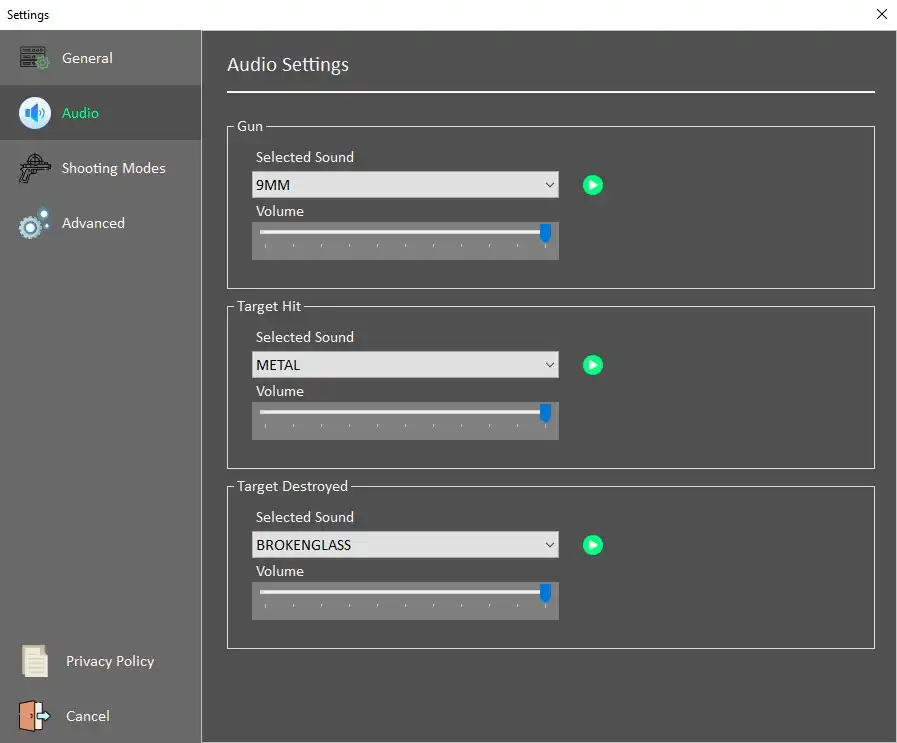
Defines default values for sounds
Gun - multiple options of gun sounds, volume selection through a slider
Target Hit - sound of successfull target hit - multiple choices of materials, volume selection through a slider
Target destroyed - select sound - multiple choices, volume selection through a slider
Shooting Modes
Custom predefinied shutting modes can be created in the Shooting Modes dialog.
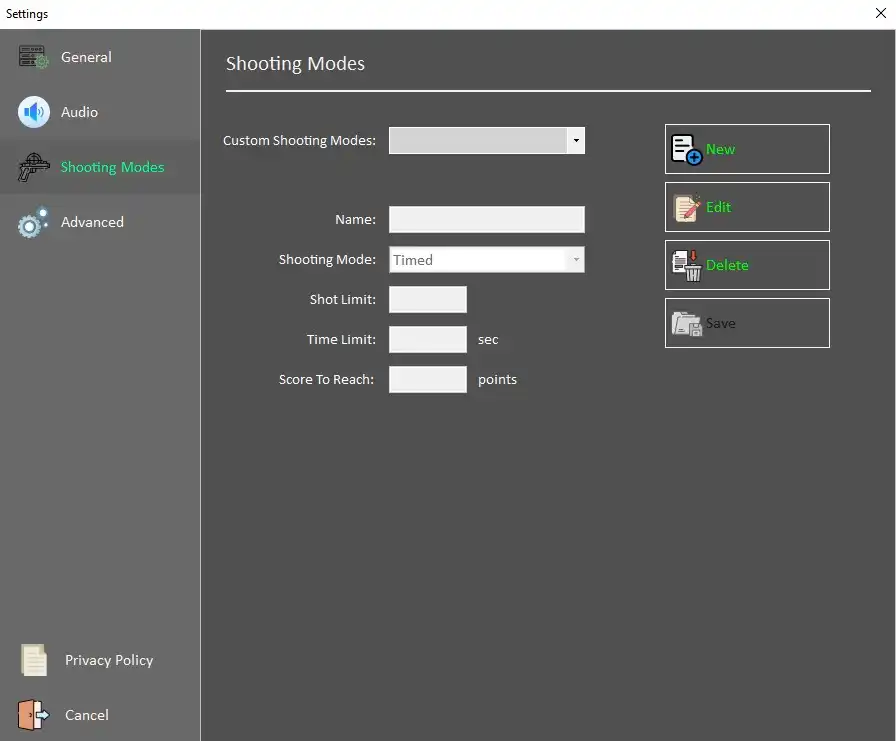
Hit New to create a new Shootiing mode.
Fill in the Name of the mode, select drom available options:
Timed -
ScoreLimit - sets the score to be reached prior to ending the drill
TimeLimit - sets the time limit
TimeorScoreLimit -sets the time and score limit, whichever comes sooner wil end the drill
ShotLimit - limits the number of shots per round
Save - saves the mode
Edit - edits existing mode
Advanced Settings