| [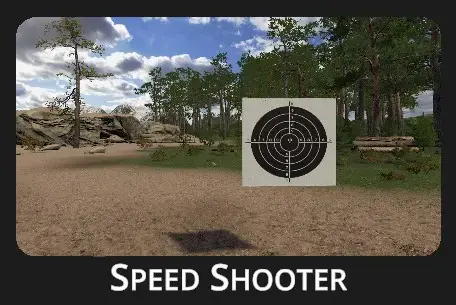](https://docs.helioninteractive.com/uploads/images/gallery/2025-07/speedshooterheader.webp) | ##### Ready - Set - Shoot ##### Ready - Set - Shoot ##### Ready - Set - Shoot ##### Simple, yet effective drill to sharpen quick target acquisition. Repetition makes masters! |
Drill Description:
A speed shooting drill is a training exercise designed to improve quick target acquisition, accuracy, and consistency at varying distances while operating under time pressure. At the beginning of the drill, a target appears on the screen in a different location each time, then remains stationary for the duration of the exercise.Configuration:
**[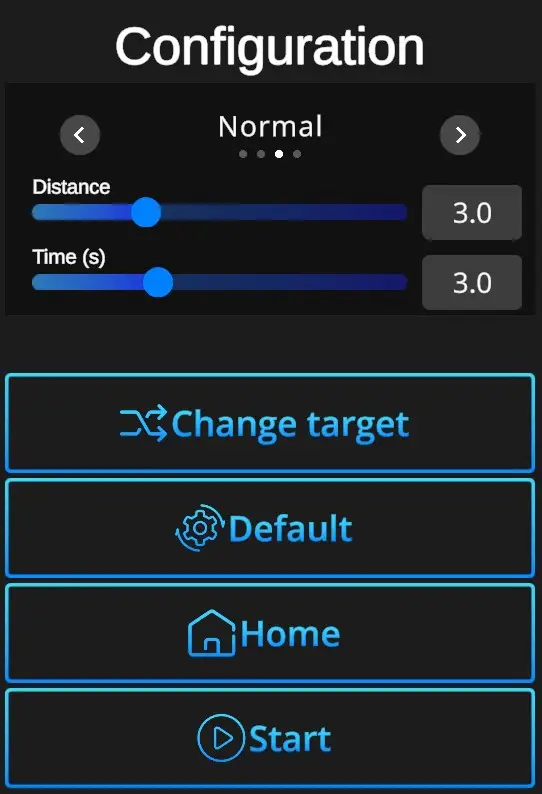](https://docs.helioninteractive.com/uploads/images/gallery/2025-07/speedshooterconfig.webp)** **Difficulties**: Custom, Easy, Normal, Expert - refer to [Difficulties](https://docs.helioninteractive.com/books/range-1/page/difficulties "Difficulties") **Distance**: Relative distance of the target (0,0-10,0). **Time**: Set duration of the drill (1,0-7,0s). **Change target**: Selects type o target - bullseye or silhouette. **Default values**: In one click resets the scene to default Speed Shooter setting - Normal Difficulty + Distance 3,0+ Time 3,0 + Bullseye target. **Home**: Directs back to the Home page with drill selection. **Start**: Starts the drill. Note that the drill can also be started with a random shot at the scene. If it doesn't start at a random shot, go to Home page, open the Settings dialog, and check General setting 'Shoot to start' ON.