# Hits are drifting to the edges
### Symptoms
- When the laser is fired, it does not hit the spot I shot at, but it is slightly shifted towards the edges. This happens across the entire screen.
---
### Cause
If your hits drift towards the edges, it usually indicates a wrong detection area. However, if the laser movement is consistent throughout the entire screen, laser calibration should fix the problem(laser not shooting straight)
---
### Resolution
1. Ensure that the detection area is selected correctly. Follow the tutorial [here](https://docs.helioninteractive.com/books/camera-setup/page/selecting-the-detection-area-in-latras-hub "Selecting the Detection Area in LATRAS Hub").
[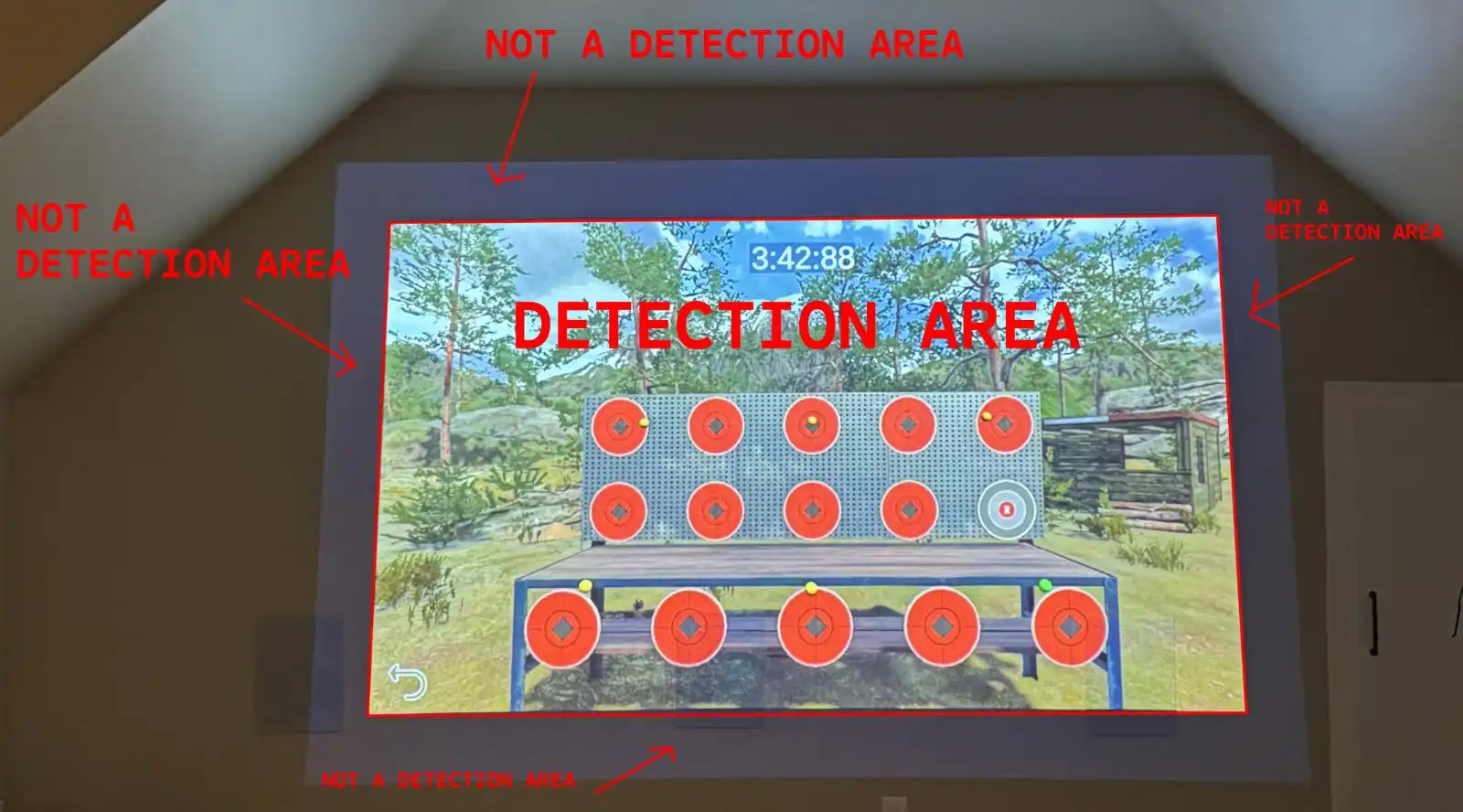](https://docs.helioninteractive.com/uploads/images/gallery/2026-07/img-2126-detectionarea-cropped.webp)
---
### Related problems