
Setting the Detection Area
Position the camera so that all corners of the projection are visible in the LATRAS Hub.
Make sure you have the Preview checkbox checked so the camera feed appears in the main window.
Some corners may appear too dim which is not a problem at this point.
Define the detection area - part of the screen where the laser will be tracked.
Click Detection area
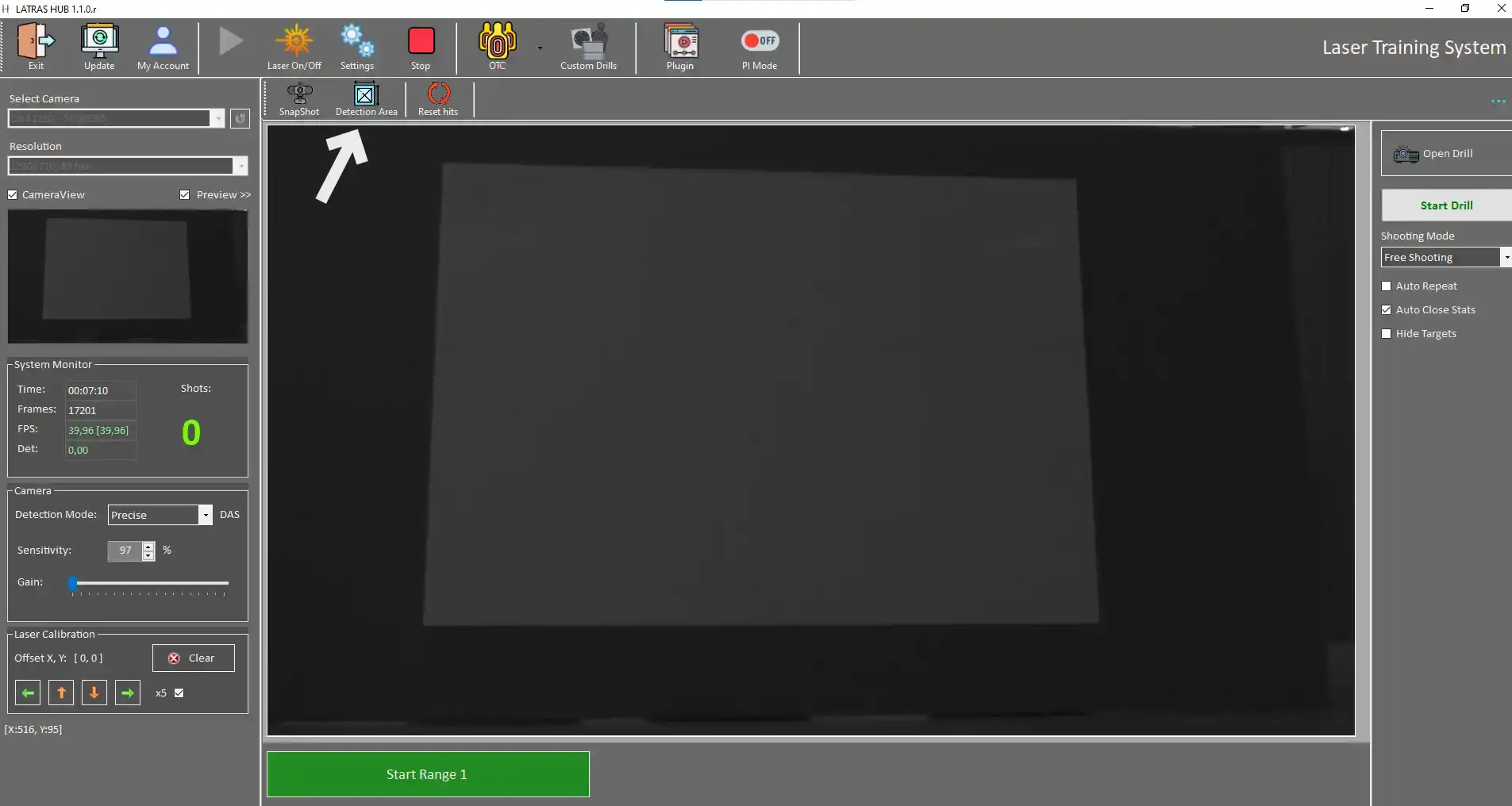
New window appears:
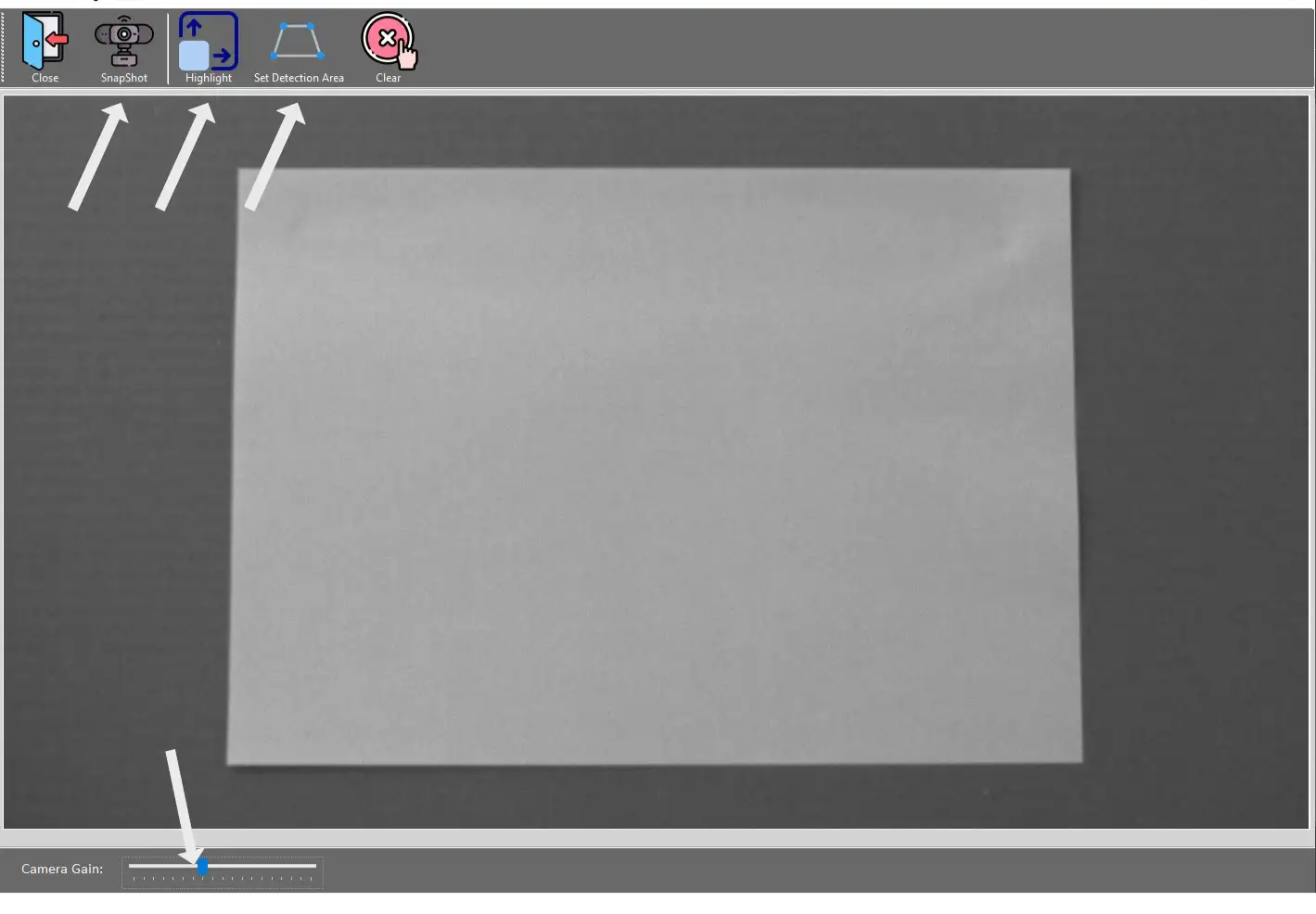
Snapshot - captures current camera view
Highlight -
to be continued..