
Analysis
Analysis is available for every drill, allowing you to review performance shot by shot or view all hit locations combined on a single target.
| The Analysis window can be automatically prompted after each drill by enabling 'Auto Analysis' under Home > Settings > General. | 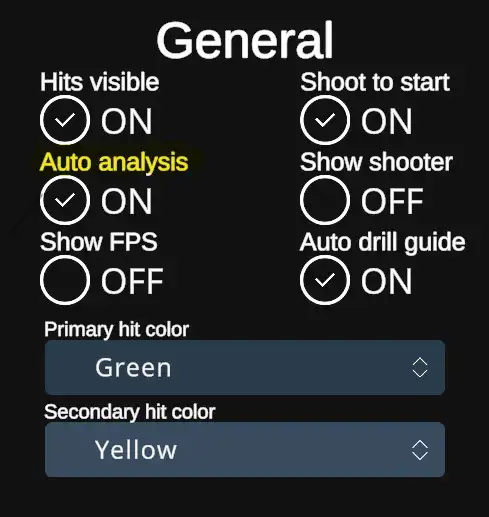 |
| When the Auto Analysis option is turned off, the analysis won't appear automatically, but it can be accessed after each drill by tapping the Analysis button in the End menu. | 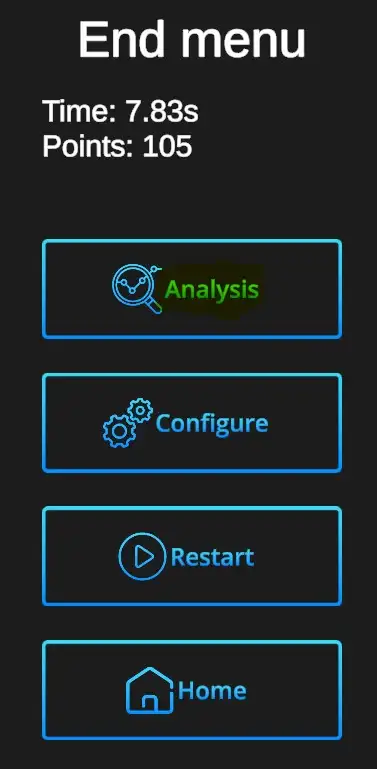 |
Analysis window
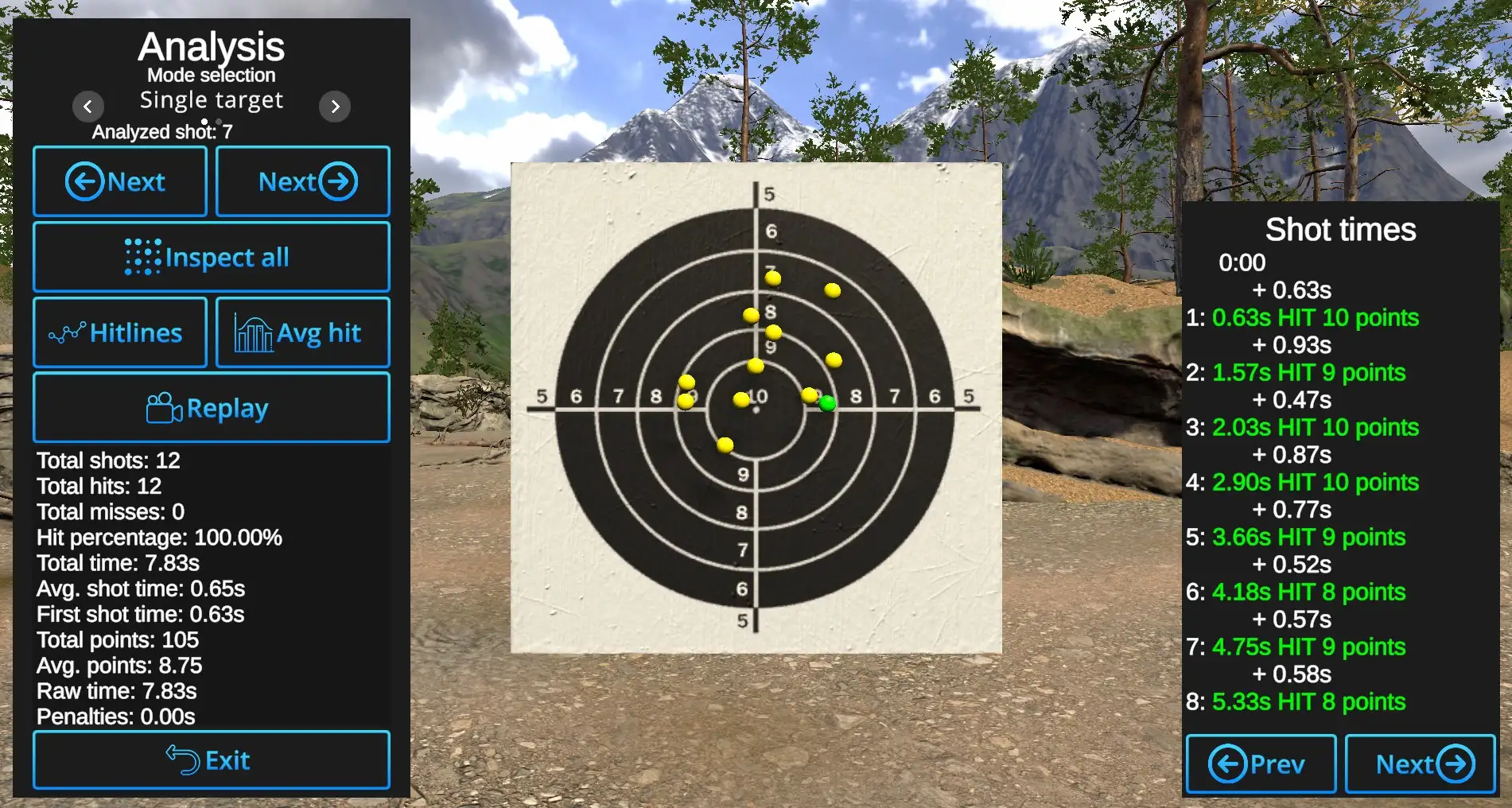
Shot-by-Shot inspection: Arrows with 'Next' show the hits one by one. Currently reviewed shot will be shown in Primary hit color.
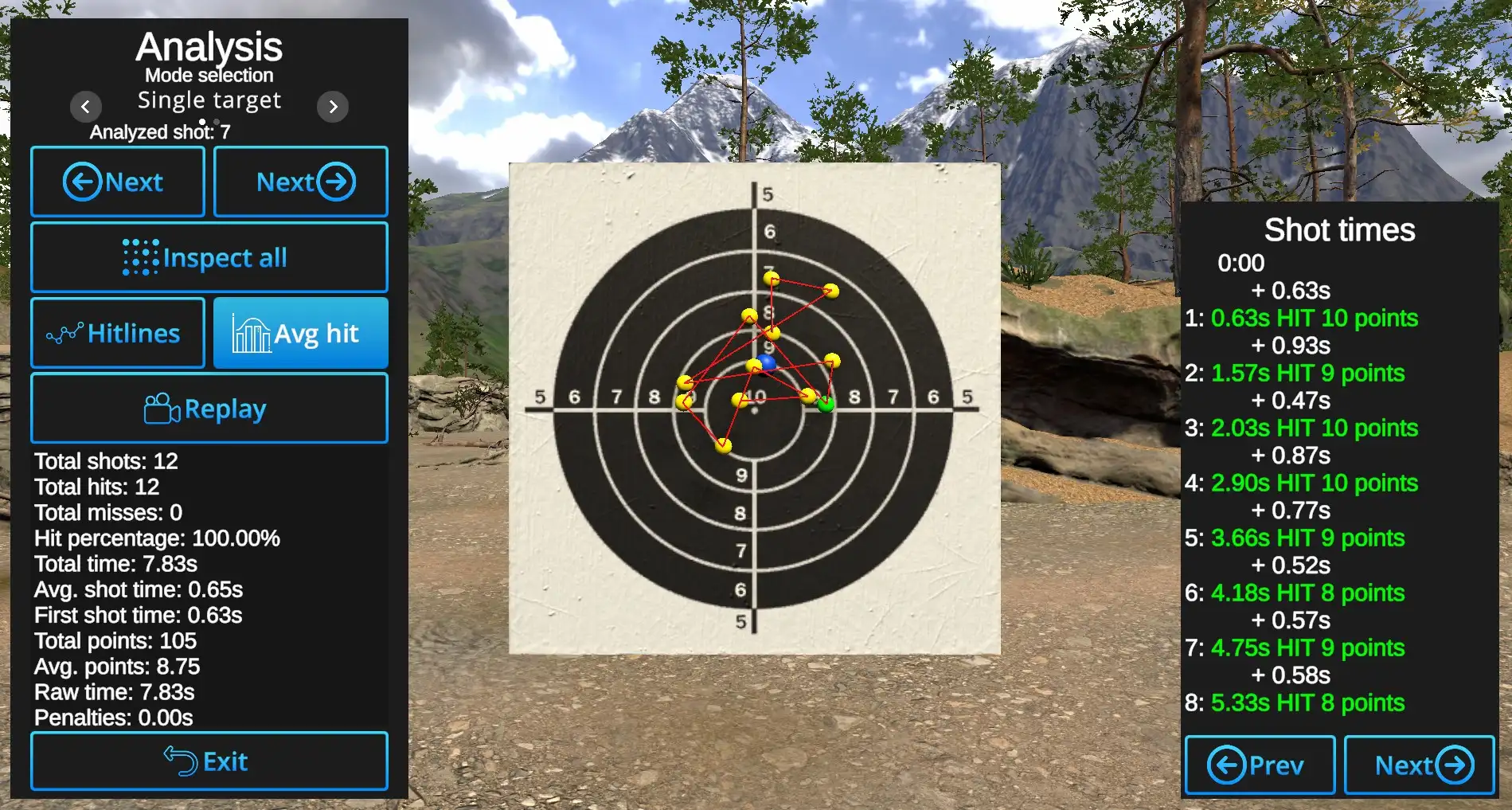
Inspect all: When enabled, all hits are displayed. The currently reviewed hit is highlighted in the Primary Hit color, while the others appear in the Secondary Hit color. When disabled, only the currently reviewed shot is shown; all other hits remain hidden.
Hitlines: Shows connecting line between the hits in the order of hits.
Avg hit: Displays the central point of all hits.
Example: Average hit shown in blue with Hitlines visible and Inspect all active:
Replay: Automatically replays hit locations one by one in the order they occurred, from first to last.
Other information is available under the Replay button and on the right side of the slide, where shot times and score are analyzed shot by shot. Use the Previous and Next buttons to navigate between individual shots when a drill contains more than 8 shots.
Exit: Closes the Analysis view and returns to the current drill.
No comments to display
No comments to display