
Cover Targets
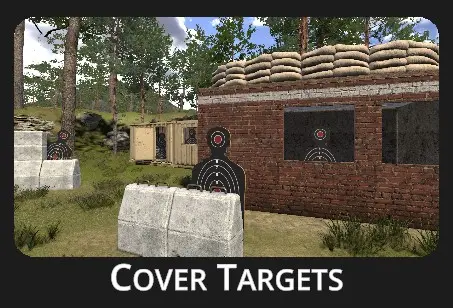
Cover Targets is a shooting drill designed to improve reaction time, speed, and accuracy under pressure. In this drill, a set of targets emerges from behind cover in multiple cycles. To trigger the next cycle, the shooter must successfully hit all targets from the current one. The drill concludes once all targets in the final cycle have been neutralized.
Configuration dialog appears when the drill is selected:
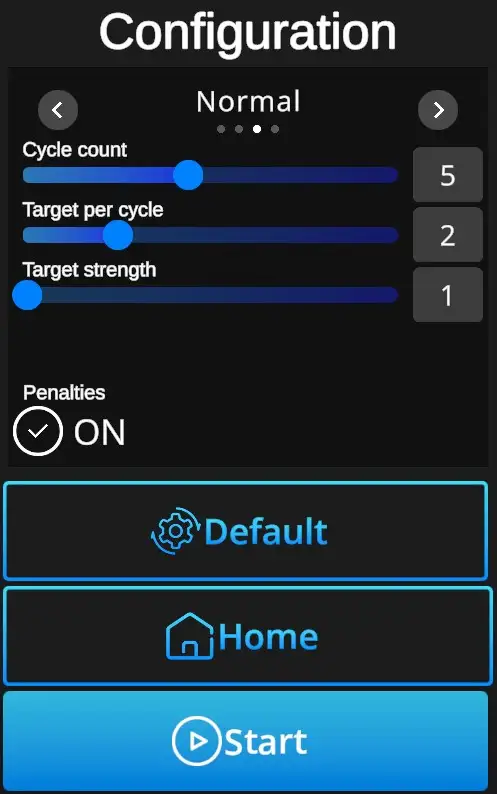
Difficulties to be selected from:
Custom, Easy, Normal, Expert - refer to Difficulties
Cycle count: Sets in how many cycles new targets appear (1-10). Each cycle must be finalized before the new one starts.
Target per cycle -: Number of targets to appear during the cycle (1-5). Can be adjusted in the Custom difficulty level, other levels are preset. (Easy 1 target, Normal 2 targets, Expert 2 targets).
Target strength -: Indicates number of hits necessary to remove each target. Standard setting is 1, custom setting allows up to 5 hits per target.
Penalties ON/OFF -: Penalties ON will add 1 second to the drill time for every missed shot. Penalties OFF ignores the misses and records only elapsed time.
Default -: In one click resets the scene to default Cover Targets setting - Normal Difficulty + Cycle Count 5 + Target per Cycle 2 + Target Strength 1 + Penalties ON.
Home -: Directs back to page with drill selection.
Start -: Starts the drill. Note that the drill can also be started with a random shot at the scene.