
Multiplayer
 |
Competetive shooting
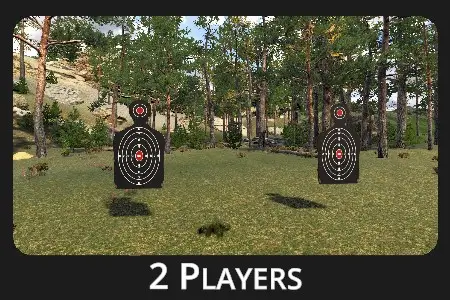
Shooting side by side adds pressure and sharpens focus, creating a competitive environment. |
Drill Description:
Two players compete by shooting at bullseye or silhouette targets. Each shooter uses a different calibration profile based on the laser weapon used. The distance and number of shots are set before each round.
Configuration:
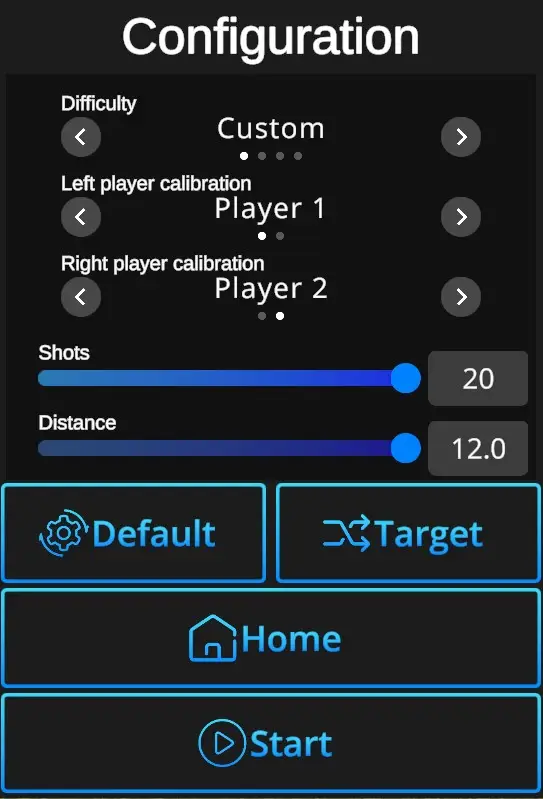
Difficulties : Custom, Easy, Normal, Expert - refer to Difficulties
Left player calibration : Sets calibration profile used for the player on the left side. See Calibration for details.
Right player calibration : Sets calibration profile used for the player on the right side. See Calibration for details.
Shots - Set number of shots per drill (1-20).
Default - In one click resets the scene to default Multiplayer setting - Normal Difficulty + Left player calibration Player 1+ Right side calibration Player 2 + Shots 10 + Distance 4,0 + Silhouette target.
Change target - Selects type o target - Bullseye or Silhouette.
Home: Directs back to the Home page with the drill selection.
Start: Starts the drill. Note that the drill can also be started with a random shot at the scene. If it doesn't start at a random shot, go to Home page, open the Settings dialog, and check General setting 'Shoot to start' ON.