
Selection Targets
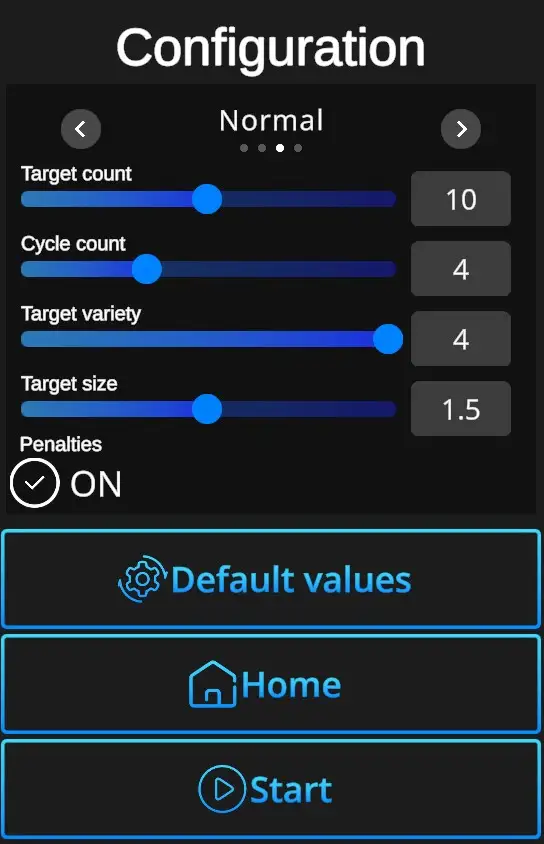
Difficulties : Custom, Easy, Normal, Expert - refer to Difficulties
Target count: Sets in how many targets appear in the scene (5-15).
Target per cycle - Number of targets to appear during the cycle (1-5). Can be adjusted in the Custom difficulty level, other levels are preset. (Easy 1 target, Normal 2 targets, Expert 2 targets).
Target strength - Indicates number of hits necessary to remove each target. Standard setting is 1, custom setting allows up to 5 hits per target.
Penalties ON/OFF - Penalties ON will add 1 second to the drill time for every missed shot. Penalties OFF ignores the misses and records only elapsed time.
Default - In one click resets the scene to default Cover Targets setting - Normal Difficulty + Cycle Count 5 + Target per Cycle 2 + Target Strength 1 + Penalties ON.
Home - Directs back to page with drill selection.
Start - Starts the drill. Note that the drill can also be started with a random shot at the scene.