Manual Module Installation
Manual installation is one of the ways how modules can be installed to LATRAS Hub and it does not require internet connection, however it requires the install files.
Manual manual module installation is not recommended as a default option. It should be used only for troubleshooting or adding experimental versions of our simulators.
Prerequisites
- Downloaded desired module(ZIP file)
Installation
- Extract the module to a directory where you want to have the application.
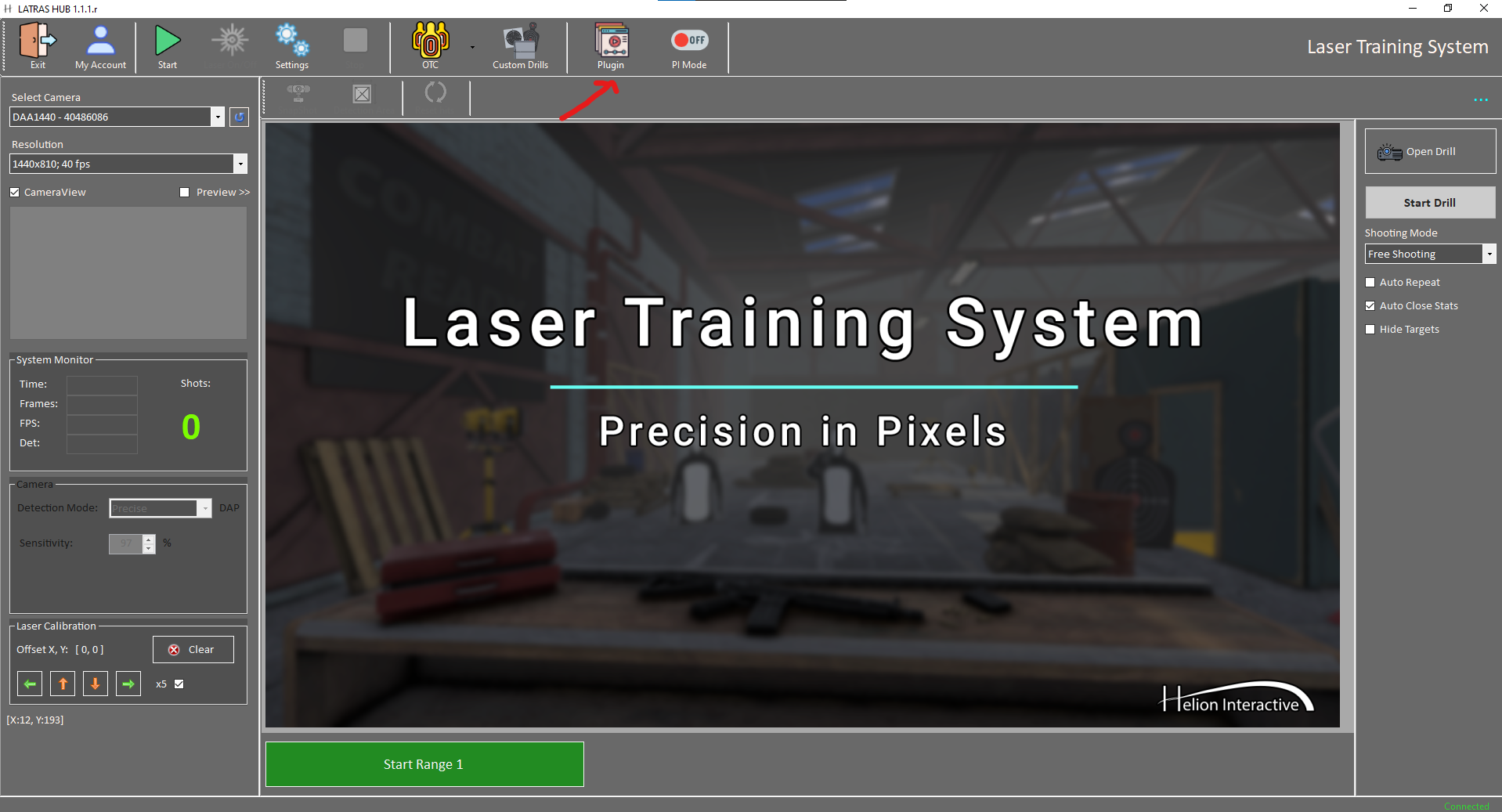
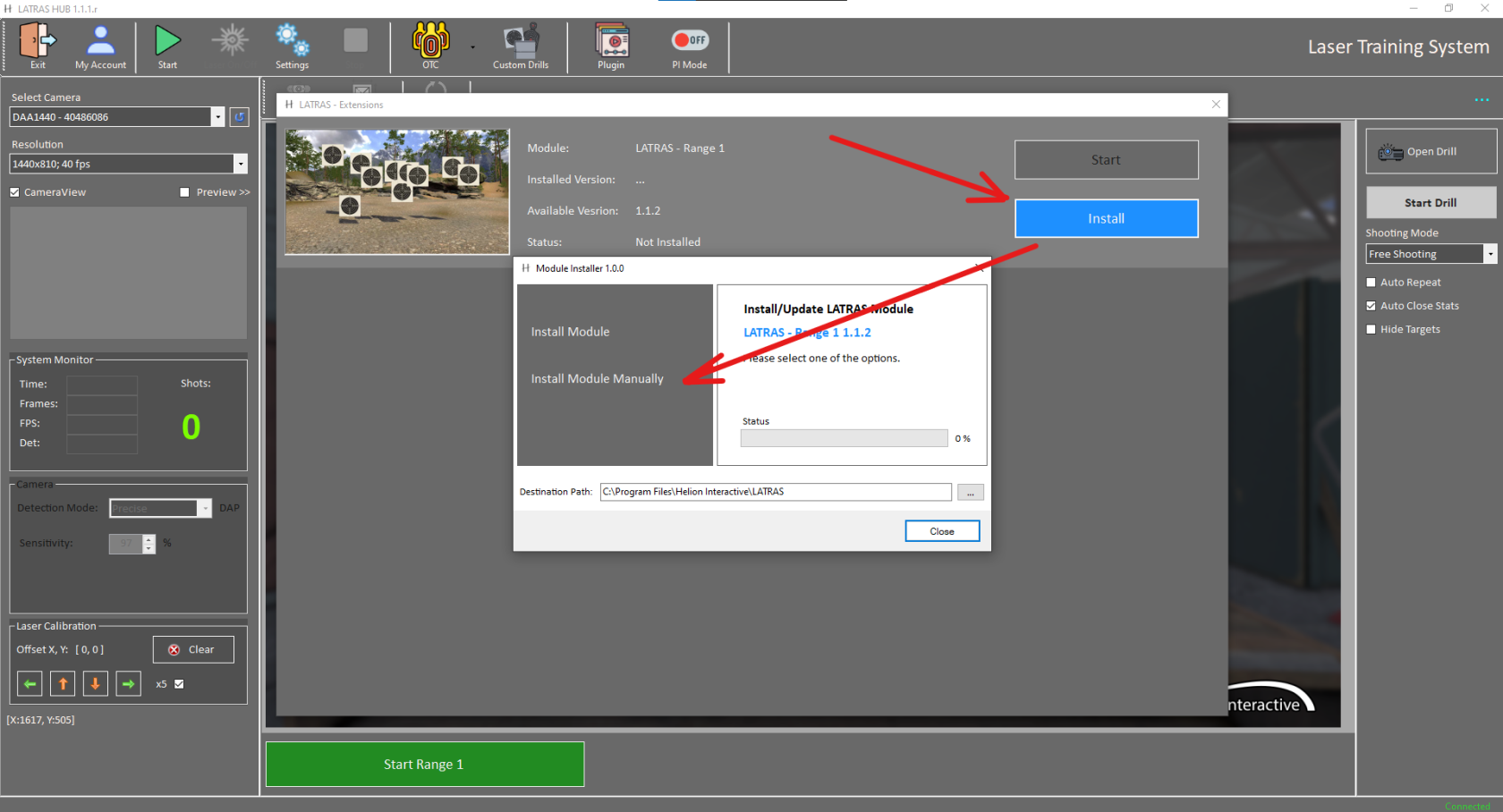
- In LATRAS HUB click on Plugins button.
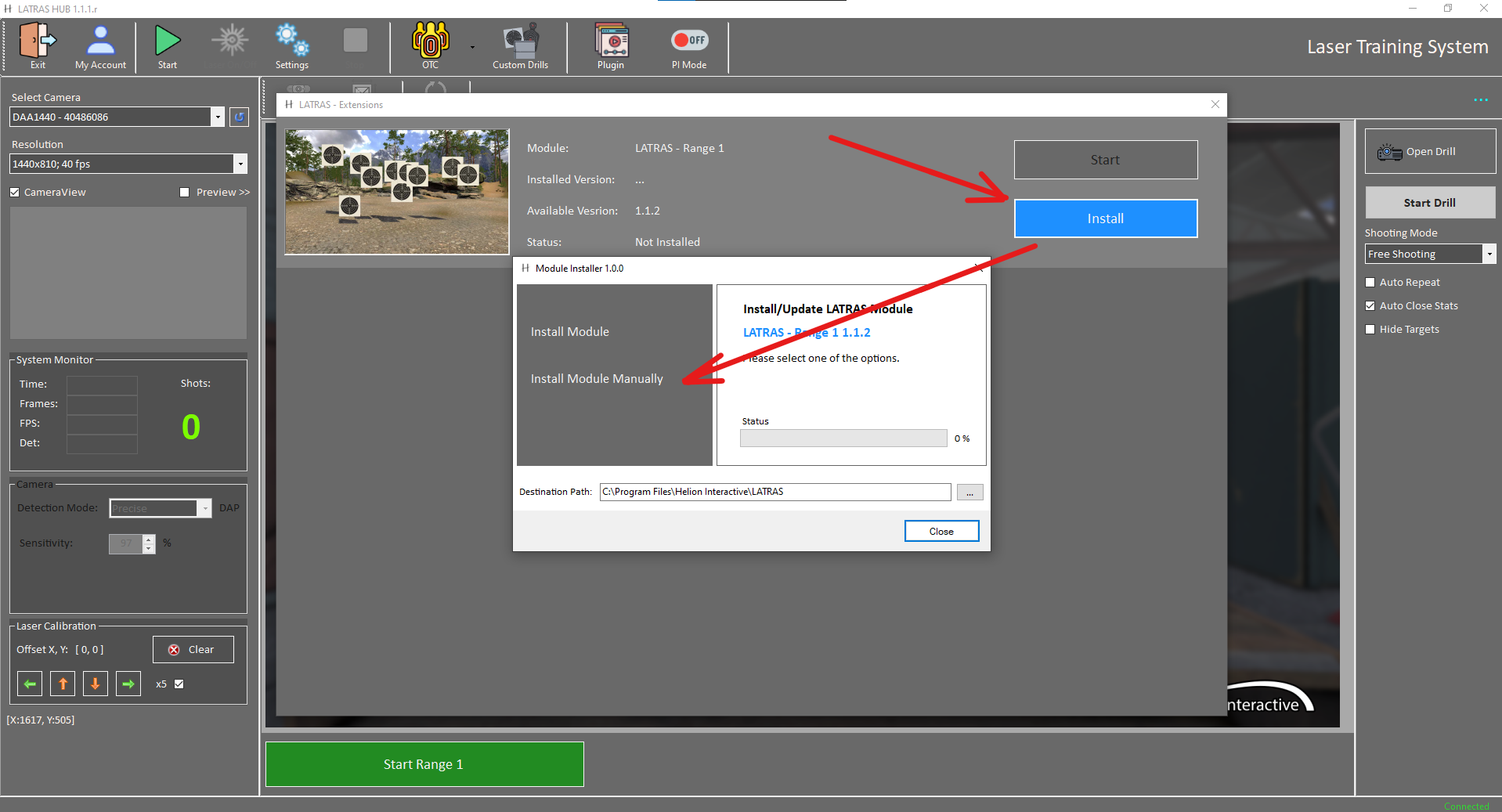
- Select Install on the module, which you are installing. This will open a context window and inside it select install module manually.
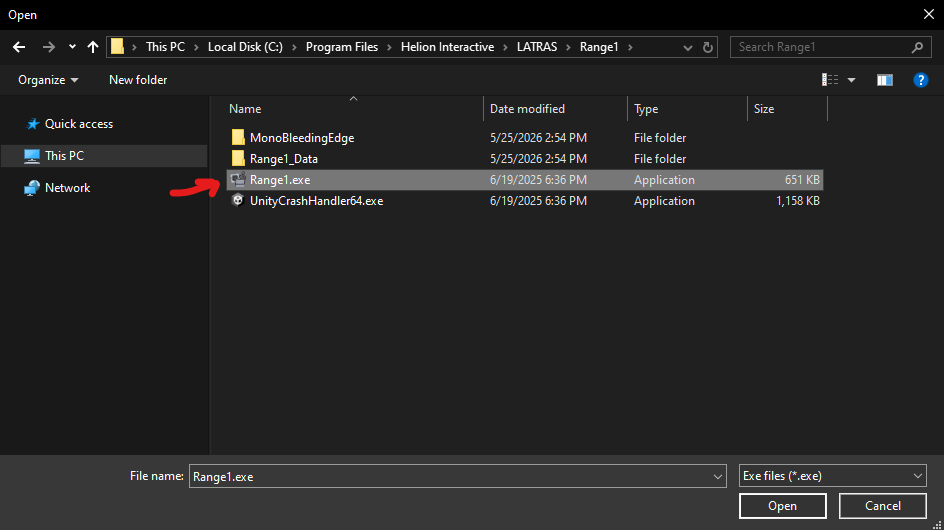
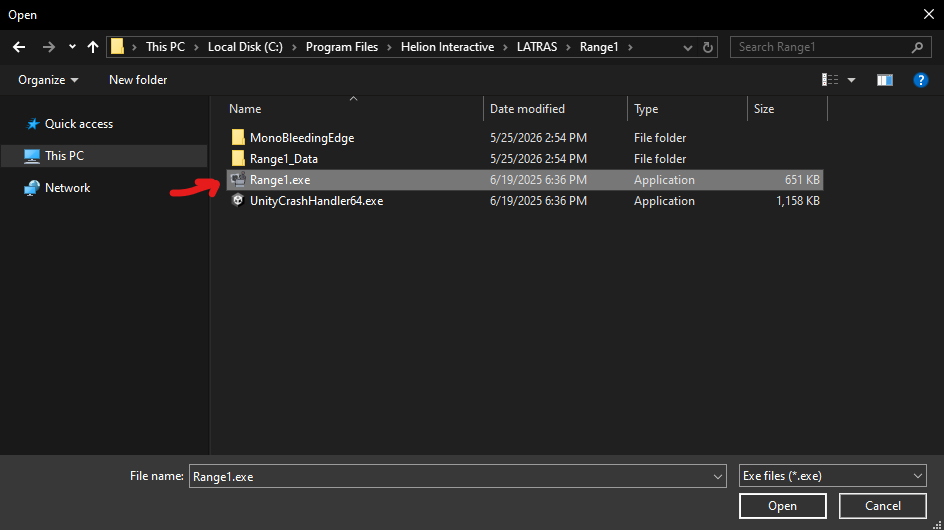
- Locate the directory where you extracted the files and select the executable file. (e.g. "Range1.exe")
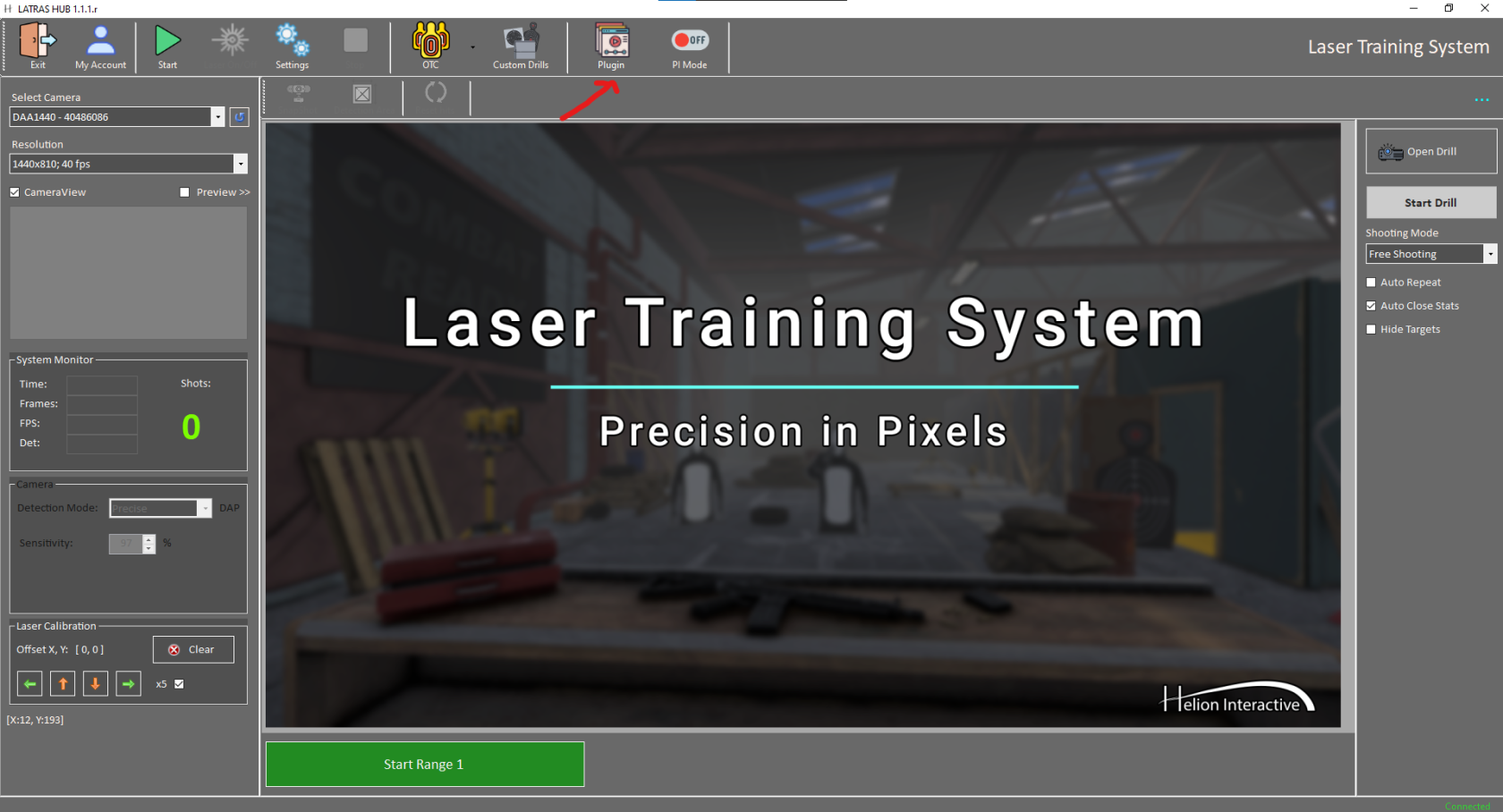
- After that module should be installed and ready for use.