
Analysis
Analyses is available for every drill and allows for reviewing the performance shot by shot or as overall view of all hit locations shown in one target.
| The Analysis window can be system prompted automatically after each drill by selecting 'Auto analysis' ON in the 'Home'- 'Settings' - 'General' location. | 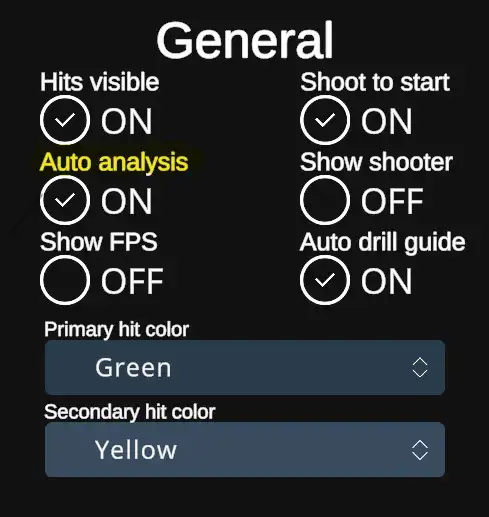 |
| When Auto analysis option is checked OFF, it is not prompted automatically, but can be after each drill brought up by hitting the Analyses button in the End menu of each drill. | 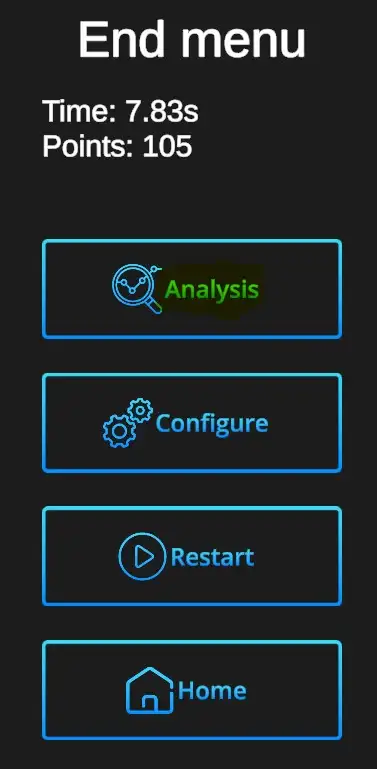 |
Analysis window
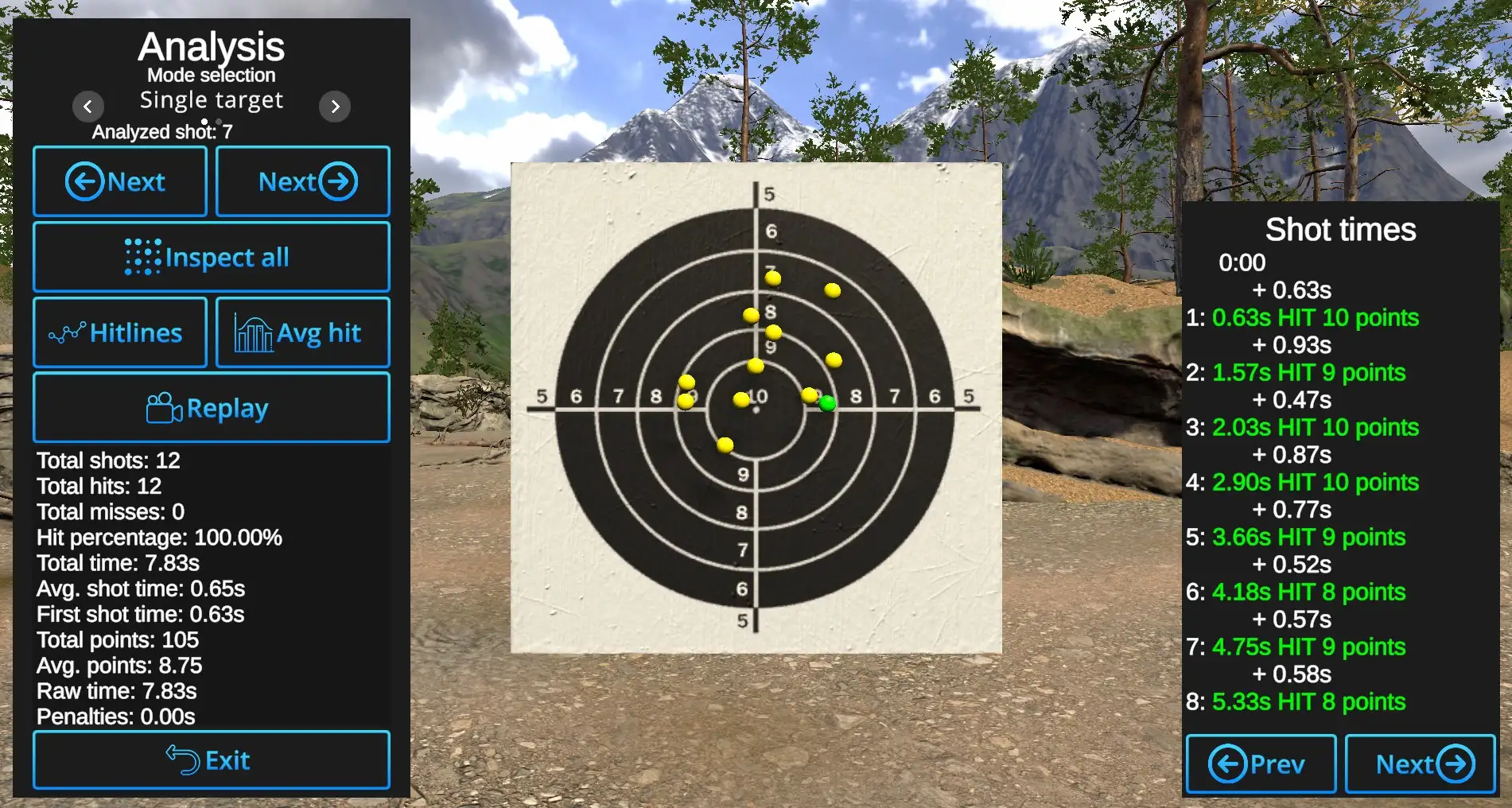
Shot-by-Shot inspection: Arrows with 'Next' show the hits one by one. Currently reviewed shot will be shown in Primary hit color.
Inspect all: If selected, all hits will be displayed and Next arrows will show currently reviewed hit by showing it in the Primary hit color, all others in the Secondary hit color. When Inspect all is deselected, only the currently reviewed shot will be displayed, all others remain hidden.
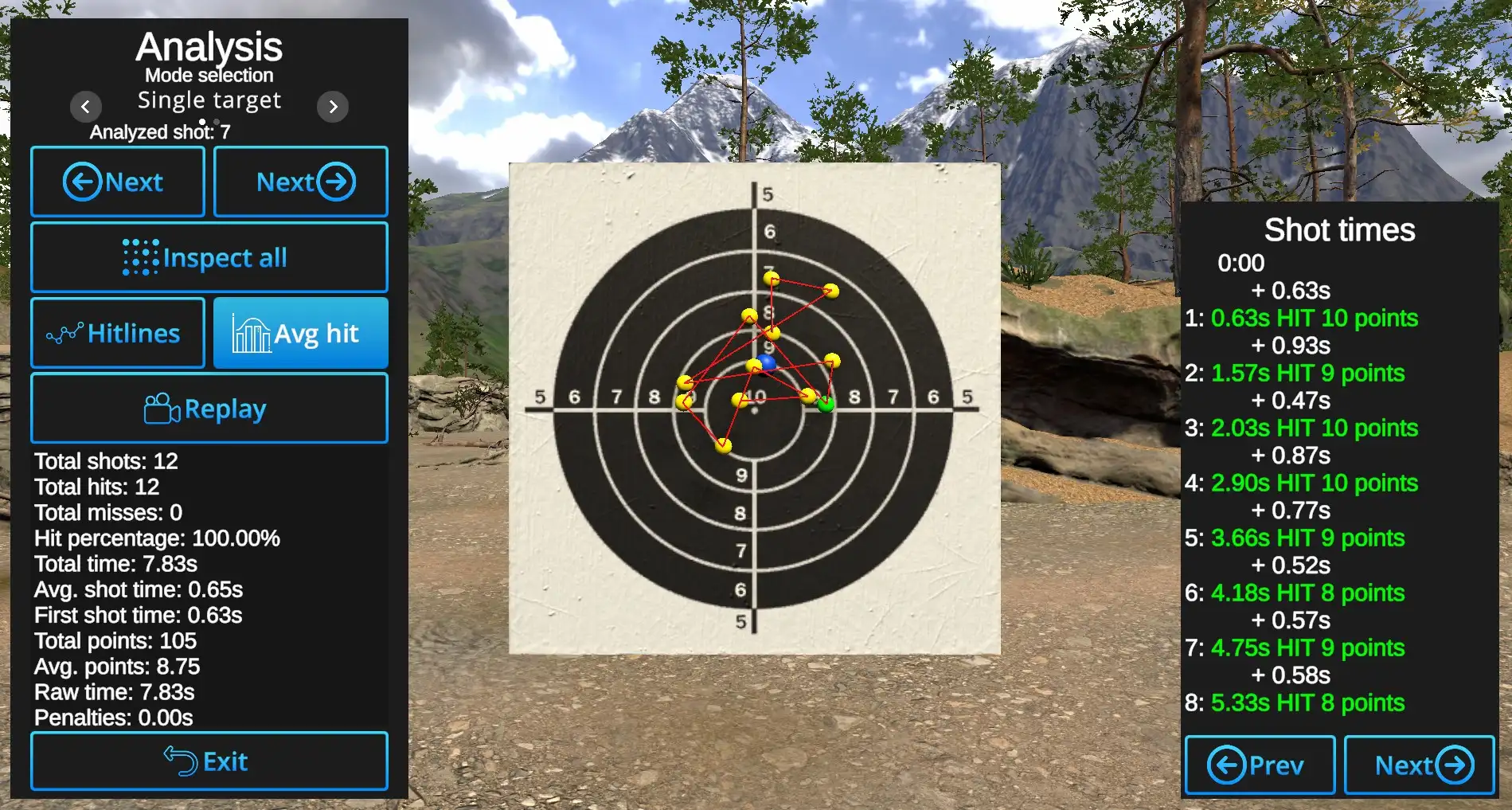
Hitlines: Shows connecting line between the hits in the order of hits.
Avg hit: Shows the location of the center of all hits.
Example: Anerage hit shown in blue, Hitlines visible, Inspect all active:
Replay: Will replay automatically hit locations one by one in the order from first to last.
Other information is available under the Replay button and on the right side of the slide, where
shot times and score are analyzed shot by shot. Previous and Next buttons switch between shots if there are more than 8 in the drill.
Exit button will return to the current Drill.