
Analysis
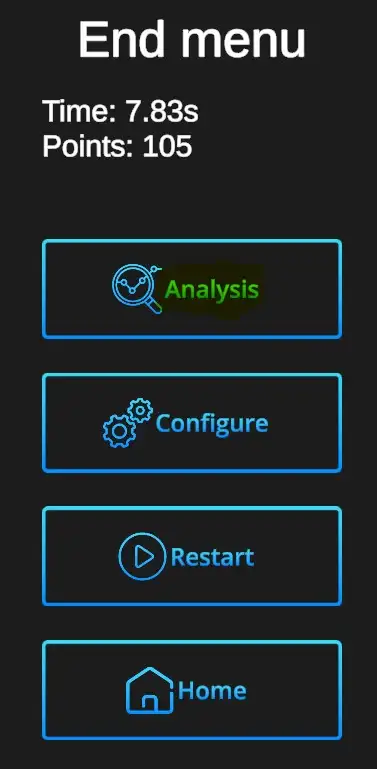
AnalysesAnalysis is available for every drilldrill, andallowing allowsyou forto reviewing thereview performance shot by shot or as overall view of all hit locations showncombined inon onea single target.
| The Analysis window can be |
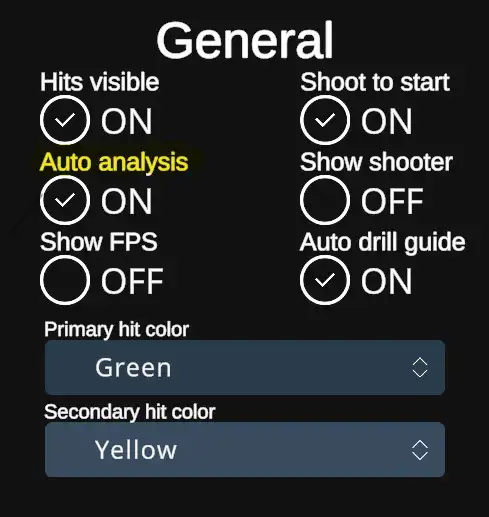 |
| When the Auto |
 |
Analysis window
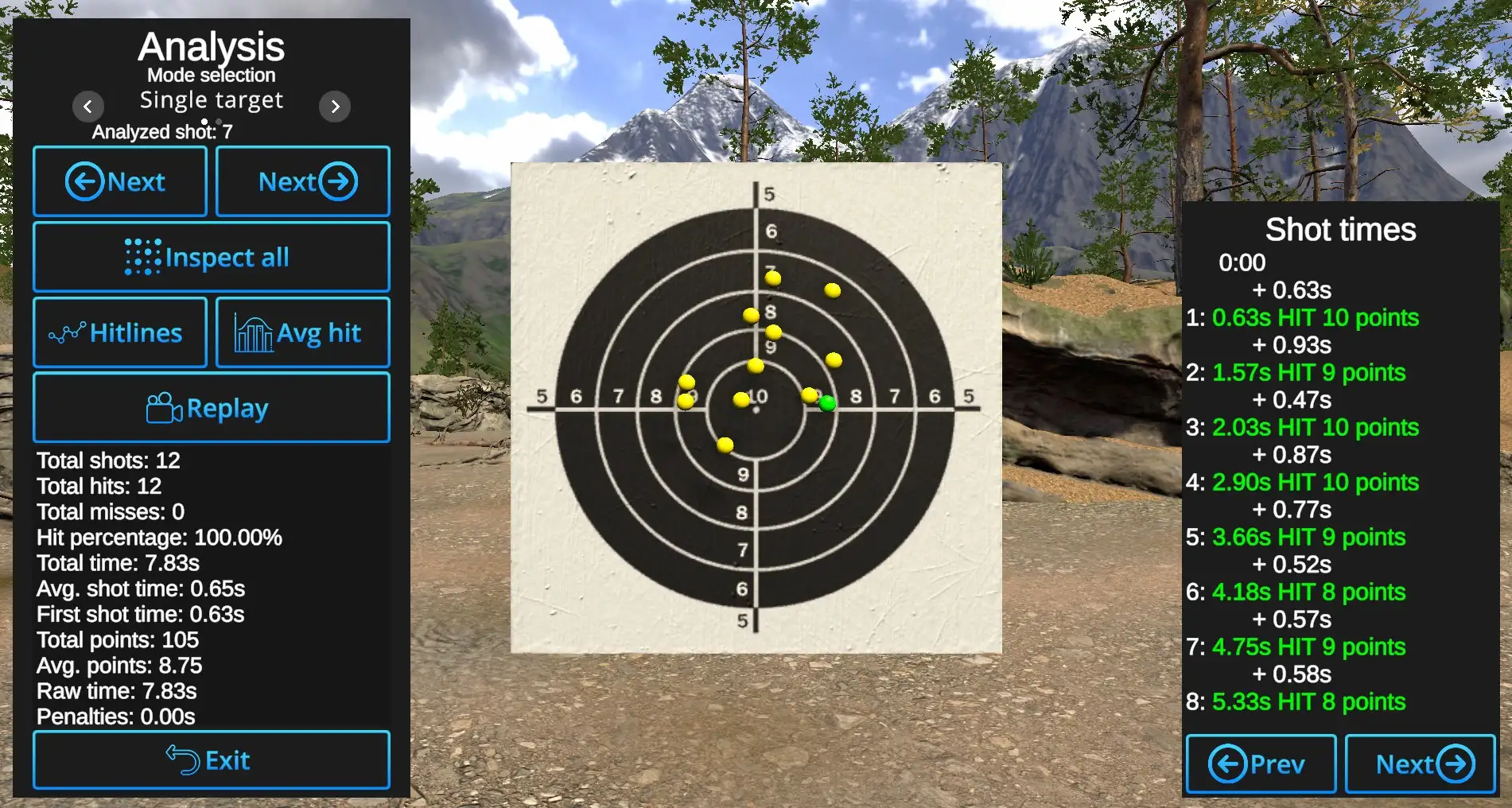
Shot-by-Shot inspection: Arrows with 'Next' show the hits one by one. Currently reviewed shot will be shown in Primary hit color.
Inspect all: IfWhen selected,enabled, all hits willare bedisplayed. displayed and Next arrows will showThe currently reviewed hit byis showing ithighlighted in the Primary hitHit color, allwhile the others appear in the Secondary hitHit color. When Inspect all is deselected,disabled, only the currently reviewed shot willis be displayed,shown; all othersother hits remain hidden.
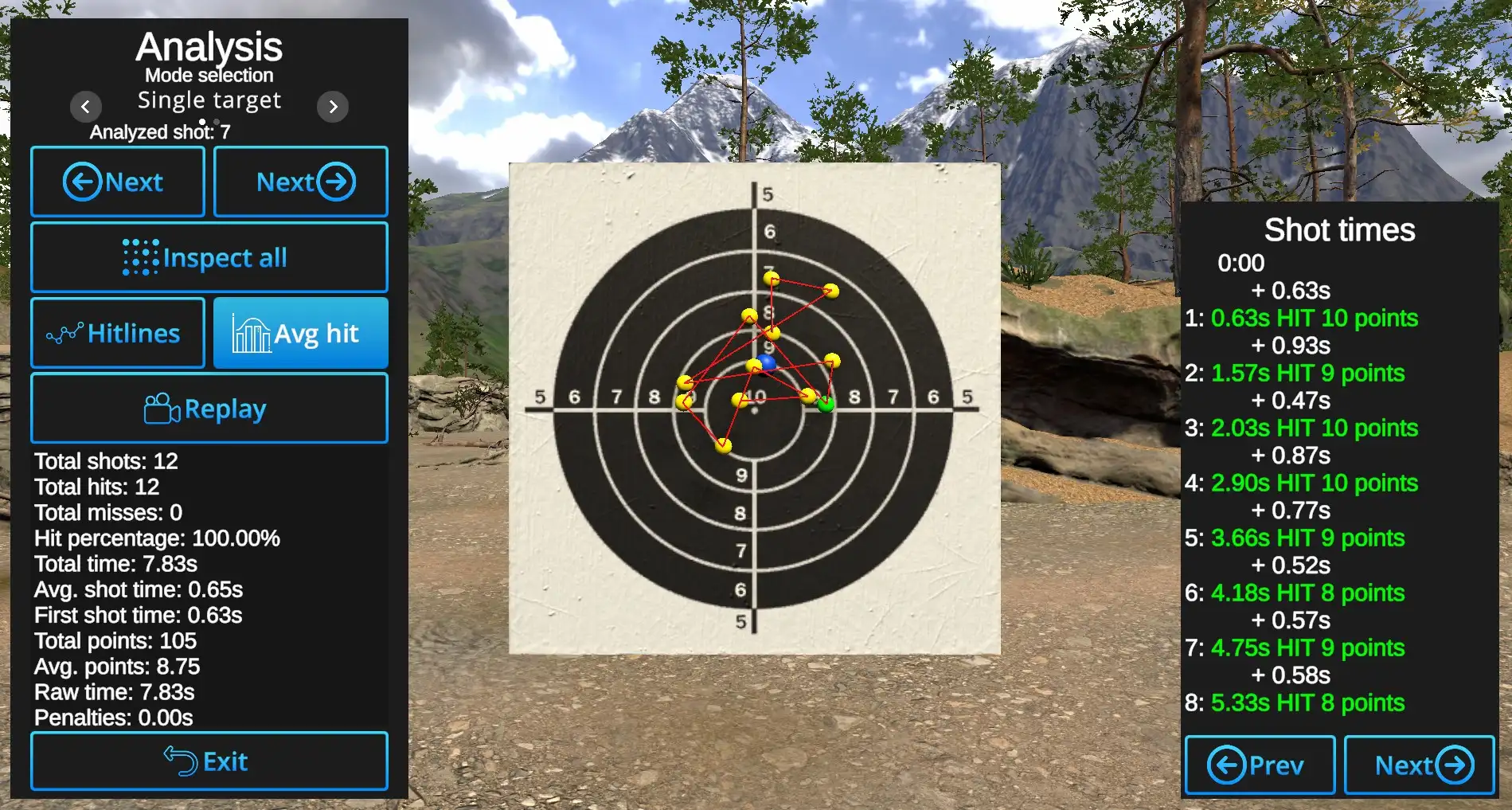
Hitlines: Shows connecting line between the hits in the order of hits.
Avg hit: ShowsDisplays the locationcentral of the centerpoint of all hits.
Example: AnerageAverage hit shown in blue,blue with Hitlines visible,visible and Inspect all active:
Replay: WillAutomatically replay automaticallyreplays hit locations one by one in the order they occurred, from first to last.
Other information is available under the Replay button and on the right side of the slide, where
shot times and score are analyzed shot by shot. Use the Previous and Next buttons switchto navigate between individual shots ifwhen therea aredrill contains more than 8 inshots.
Exit: Closes the Analysis view and returns to the current drill.
Exit button will return to the current Drill.